If you run B2B campaigns on Google Ads, you know the “Junk Lead” nightmare.
You check your dashboard on Monday morning. The campaign looks incredible. You spent £500 and got 20 leads. The Cost Per Lead (CPL) is a record-low £25. You high-five your team.
Then, you talk to the sales team.
“They were all students looking for internships,” the sales manager says. Or perhaps, “Half of them had invalid phone numbers.”
The celebration ends. You realize you just spent £500 training Google’s algorithm to find more people who have no intention of buying.
This is the fundamental flaw of standard B2B advertising. Google optimizes for the form fill, but you care about the closed deal.
The solution to this disconnect is Offline Conversion Imports (OCI). It is the single most important technical setup for B2B advertisers in 2026.
The “Blind Spot” in B2B Advertising
In e-commerce, the feedback loop is instant. A user clicks an ad, buys a pair of socks, and Google Ads immediately knows the value of that sale. The AI says, “Great, let’s find more people like that.”
In B2B or lead generation, the process is slower.
- User clicks ad.
- User fills out a form (Conversion recorded).
- Black Hole.
- Three weeks later, the sales team closes the deal for £10,000.
Google Ads never sees step 4. As far as the algorithm knows, the user who filled out the form and bought nothing is equal to the user who signed a £10,000 contract.
This forces Smart Bidding (Target CPA or ROAS) to bid aggressively for “cheap” leads, which are often low quality.
What is Offline Conversion Import (OCI)?
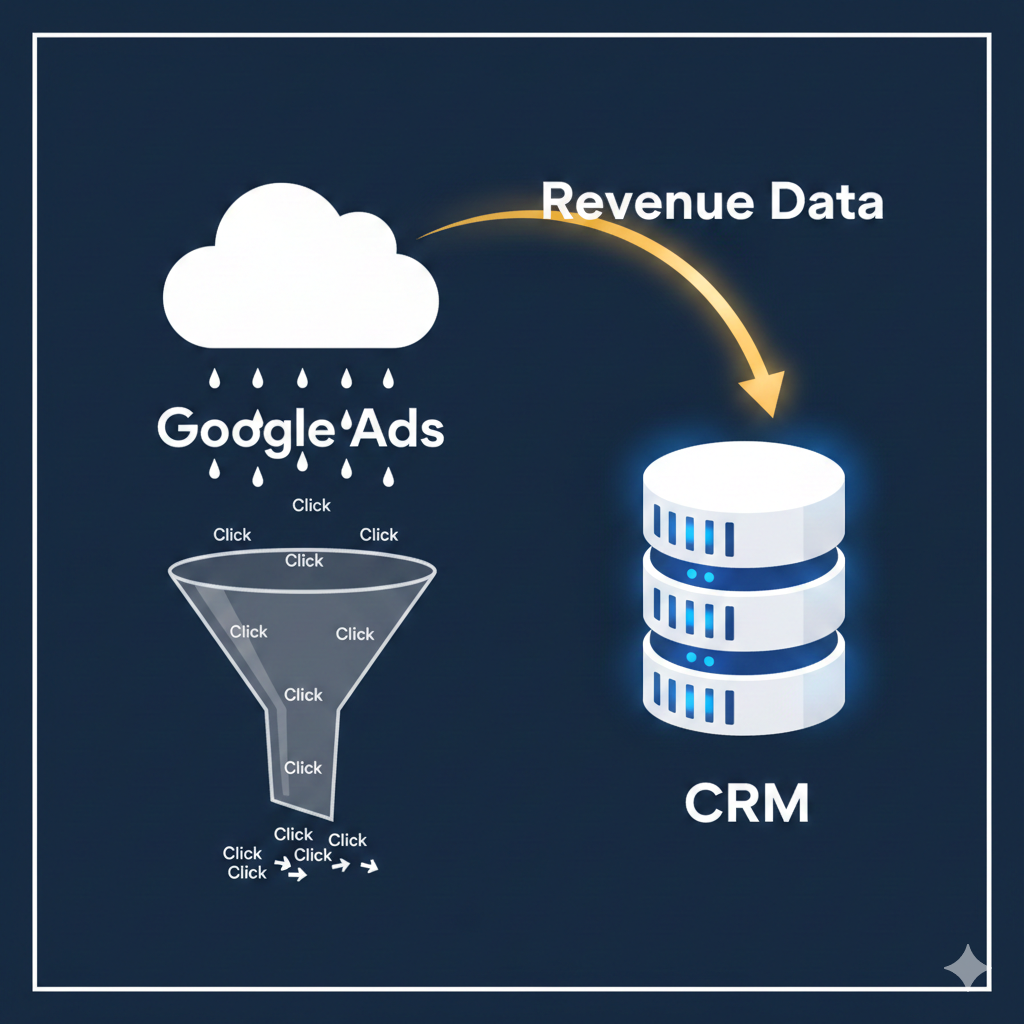
OCI is a method of connecting your CRM (Salesforce, HubSpot, Zoho, etc.) back to Google Ads.
Instead of stopping tracking at the “Thank You” page, you tell Google what happened after the lead came in. When a lead moves from “MQL” (Marketing Qualified Lead) to “SQL” (Sales Qualified Lead) or “Closed Won,” you send a signal back to Google Ads.
This creates a feedback loop. You are essentially telling Google: “Ignore the 10 people who filled out the form but had no budget. Focus on the one person who actually signed a contract.”
How It Works: The GCLID Magic
The technical backbone of this process is the GCLID (Google Click Identifier).
Not sure where to start?
We help businesses build marketing systems that actually work. Let us show you how.
Get Your Free Growth Plan →- The Click: When a user clicks your ad, Google appends a unique string of code to the URL (e.g., www.yoursite.com/?gclid=AbCd123…).
- The Capture: Your lead form must have a hidden field that captures this GCLID and saves it into your CRM along with the user’s name and email.
- The Match: When that user becomes a customer in your CRM, you export the GCLID and the conversion value back to Google.
- The Optimisation: Google matches the GCLID to the original ad click and attributes the revenue to that specific keyword and campaign.
Note: In 2026, with privacy changes and “Enhanced Conversions,” we also recommend capturing hashed email addresses as a backup matching method in case the GCLID is lost.
Why You Need This in 2026
You might be thinking this sounds complicated. Is it worth it?
Yes. In fact, it is mandatory for survival in modern B2B PPC.
1. Privacy & Cookie Loss
Third-party cookies are gone. Google’s ability to track users across the web has diminished. OCI relies on First-Party Data (data you own in your CRM). It is privacy-compliant and far more accurate than browser-based tracking.
2. AI Bidding Needs “Truth”
Google’s Smart Bidding (PMax, Broad Match) is extremely powerful, but it is like a heat-seeking missile. If you target it at “form fills,” it will hit form fills. If you target it at “revenue,” it will hit revenue. OCI gives the missile the correct coordinates.
3. Filter Out Bots and Spam
Bot traffic is getting smarter. Bots can fill out forms. However, bots do not answer sales calls or sign contracts. OCI naturally filters out invalid traffic because those leads never trigger the secondary conversion signal.
Step-by-Step: Implementing OCI
While you might need a developer for the initial setup, the logic is straightforward.
Step 1: Prepare Your Forms
Add a hidden field to every lead form on your website. Label it GCLID. Most form builders (Gravity Forms, HubSpot, Unbounce) have native settings for this.
Step 2: Define Your Conversion Actions
In Google Ads, create new conversion actions for the stages that matter.
- Qualified Lead (Value: £50)
- Proposal Sent (Value: £200)
- Closed Deal (Value: Actual Revenue)
Set these as “Secondary” conversions initially so you do not disrupt your current bidding. Once data is flowing, you can switch them to “Primary.”
Step 3: Connect the Pipes
You have three ways to send the data back:
- Manual Upload: Download a spreadsheet from your CRM and upload it to Google Ads weekly. (Good for starting out).
- Zapier / Make: Use automation tools to send the signal instantly when a CRM status changes.
- Native Integration: Tools like HubSpot and Salesforce have direct integrations with Google Ads that handle this automatically.
Need help managing this data? Read our guide on First-Party Data Strategy.
Case Study: Quality Over Quantity
We recently implemented OCI for a B2B financial services client in London.
The Situation: They were spending £10,000/month. They were getting 100 leads a month (£100 CPL). On the surface, it looked great. But the sales team was furious—only 2% of leads were qualified.
The OCI Fix: We started importing “Application Approved” status as a conversion action. We told Google’s Target CPA bidding strategy to optimise for Approvals, not just Applications.
The Result (90 Days Later):
- Lead volume dropped to 60 leads/month (a 40% decrease).
- However, “Application Approvals” rose from 2 to 12 per month.
- Revenue increased by 500% despite getting fewer leads overall.
The algorithm learned that the “expensive” clicks (from specific high-intent keywords) were the ones that actually generated money, and it stopped wasting budget on the “cheap” clicks that led nowhere.
Common Pitfalls to Watch For
1. The “Time Lag” Trap B2B sales cycles are long. If it takes 3 months to close a deal, Google’s algorithm might struggle to learn.
- Solution: Optimise for a “mid-funnel” metric that happens faster, such as “Sales Qualified Lead” (usually happens within 48 hours), rather than waiting for the final sale.
2. Low Data Volume Smart Bidding needs about 30 conversions a month to work well. If you only close 2 deals a month, OCI might not give the AI enough data.
- Solution: Assign static values to upper-funnel steps (e.g., assign £100 to every Qualified Lead) to give the system enough signals to work with.
3. Ignoring the “Offline” in OCI Sometimes deals happen over the phone. Ensure your call tracking software (like CallRail) is also integrated so phone leads are not left out of the data loop.
FAQs: Offline Conversion Imports
Yes, it is highly recommended for PMax. Since PMax has less manual control, feeding it high-quality conversion data via OCI is the best way to steer it towards better leads.
Ideally, yes. You can do it with a simple spreadsheet (Excel or Google Sheets), but tracking lead status manually can become messy very quickly. A CRM makes the process scalable.
Likely, yes. And that is a good thing. You are trading cheap, low-quality leads for slightly more expensive, high-quality leads. Your Cost Per Acquisition (CPA) for a paying customer should go down.
Yes, you can upload conversions up to 90 days after the click occurred. This is great for jump-starting the algorithm with past success data.