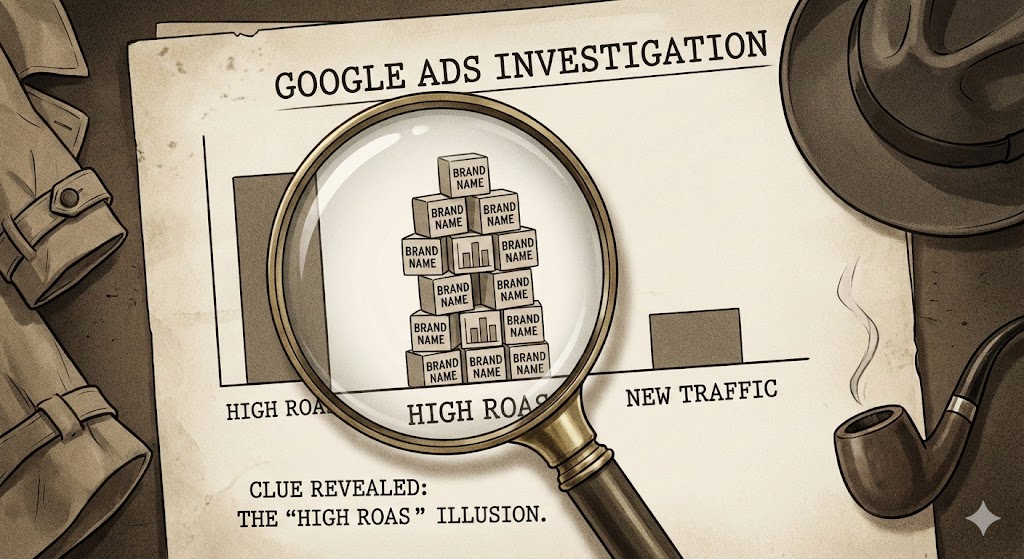
Is Performance Max Stealing Your Brand Traffic? (And How to Fix It)
It’s a scenario we see at Bizi Digital almost every week.
A business owner logs into Google Ads. They see their new Performance Max (PMax) campaign delivering a dazzling 1200% ROAS (Return on Ad Spend). They high-five their team, increase the budget, and pause their “old school” Standard Search campaigns.
But then, a month later, they notice something strange. Total revenue hasn’t actually increased.
The PMax campaign didn’t find new customers; it simply took credit for the ones who were already looking for you. It cannibalised your branded traffic users typing in your company name and claimed those easy, high-converting clicks as its own “AI genius”.
This is the “ROAS Mirage”
If you don’t control it, Performance Max will always take the path of least resistance. Why hunt for a cold prospect when it can just bid on your brand name? In this guide, we’ll show you how to audit your PMax campaigns for brand cannibalisation and how to force Google’s AI to do what you actually pay it for: Growth.
The Audit: How to Catch PMax in the Act
Google doesn’t make it easy to see exactly what keywords PMax is bidding on. Unlike Standard Search campaigns, there is no transparent “Search Terms Report” where you can see every query.
However, in 2026, we have a few tools to look under the hood.
Step 1: Check “Search Themes” & Insights
- Go to your Performance Max Campaign.
- Click on the Insights tab on the left-hand menu.
- Scroll down to the “Consumer Spotlight” or “Search Terms Insights” card.
The Red Flag: If the top “Search Category” listed is your own brand name (or misspellings of it), PMax is stealing your traffic.1 You are paying premium AI CPMs for traffic you could have captured with a cheap Standard Search keyword (or even organically).
Step 2: The “Brand Uplift” Test
Check your Branded Search campaign (if you still have one running).
- Did impressions on your Standard Branded Search campaign drop the moment you launched PMax?
- If yes, PMax is outbidding your Standard campaign for your own name.
Note: PMax often has a higher “Ad Rank” priority than Standard Search for broad matches.2 Even if you have an Exact Match keyword for your brand in a Standard campaign, PMax can sometimes muscle its way in if Google deems the user “high intent” across other signals.
The Fix: 3 Ways to Stop the Cannibalisation
Once you’ve confirmed the theft, it’s time to lock the doors. You have three main levers to pull, ranging from “Gentle Nudge” to “Hard Block”.
Method 1: The “Brand Exclusions” List (Recommended)
This is the cleanest, most official way to handle the issue as of late 2025. This setting tells PMax, “You are forbidden from bidding on these brand names in Search and Shopping”.3
How to set it up:
- Go to Tools & Settings > Shared Library > Brand Lists.
- Create a new list and add your brand name (Google will auto-suggest variations).
- Go to your PMax Campaign Settings.
- Scroll to Additional Settings > Brand Exclusions.
- Apply the list you just created.
The Result: PMax stops bidding on your brand immediately. Your ROAS will likely drop, don’t panic! This is your real ROAS. Now the AI is forced to go out and find actual cold traffic.
Method 2: Account-Level Negative Keywords (The Nuclear Option)
If you want to ensure no campaign (PMax, Demand Gen, or Broad Match Search) ever bids on a specific term (e.g., “Login,” “Support,” or a competitor brand you don’t want to pay for), use Account-Level Negatives.
- Go to Account Settings > Negative Keywords.
- Add your terms here.
Warning: This applies to the entire account. If you have a separate Branded Search campaign running (which you should), this will kill that too. Only use this if you want to rely 100% on organic rankings for your brand name (which we generally don’t advise, see below).
Method 3: New Customer Acquisition (NCA) Goal
If you don’t want to completely block brand traffic but want to prioritise new blood, use the NCA Goal.
- In PMax Settings, select “Customer Acquisition”.
- Check “Bid more for new customers than existing customers”.
- Pro Move: Select “Only bid for new customers” (High Risk/High Reward). This effectively turns PMax into a pure prospecting engine. It will ignore anyone Google identifies as a past purchaser.
The “Hybrid Strategy”: The Bizi Digital Playbook
So, if you kick your brand keywords out of PMax, where do they go?
Not sure where to start?
We help businesses build marketing systems that actually work. Let us show you how.
Get Your Free Growth Plan →You still need to bid on your brand. If you don’t, your competitors will (conquesting), or bad actors will squat on your trademark.
Here is the ideal structure for 2026:
| Campaign Type | Role | Strategy |
| Standard Search | The Defender | Target: Brand Name (Exact & Phrase Match). Bid Strategy: Target Impression Share (Absolute Top). Goal: Ensure you own the top slot for cheap. |
| Performance Max | The Hunter | Target: Audience Signals, Broad Topics. Settings: Brand Exclusions ON. Goal: Find net-new customers who don’t know you yet. |
| Demand Gen | The Spark | Target: Lookalikes, YouTube Shorts placements. Goal: Create awareness so people eventually search your brand. |
Why This Works
By separating “Brand” (Defence) from “PMax” (Offence), you get clear data.
- If Brand Search ROAS is 2000%, great that’s your loyalists.
- If PMax ROAS is 300%, that’s acceptable because those are new people.
Blending them together hides the truth. Separating them reveals the profit.
When Should You Let PMax Bid on Brand?
Is there ever a time to let PMax run wild? Yes.
If you are a new brand with low volume, strict segmentation might choke the algorithm. PMax needs data to learn. If you have fewer than 30 conversions a month, allowing PMax to bid on brand terms can help it “learn” who your customers are faster.
Once you cross the threshold of ~50 conversions/month, initiate the breakup. Apply the Brand Exclusions and force the AI to graduate to the next level.
Conclusion: Take Back Control
Performance Max is an incredible tool, but it is lazy. It wants to show you big, green numbers to keep you spending.
It is your job as the strategist to force it to work harder. By auditing your traffic and applying Brand Exclusions, you might see your reported ROAS dip initially, but your Profit on Ad Spend (POAS) and total new customer growth will rise.
Don’t let the algorithm take credit for the hard work you’ve already done building your brand.
Confused by your PMax data?Reach out to Bizi Digitalfor a “Black Box Audit” We’ll tell you exactly where your budget is really going.
FAQ: PMax Brand Traffic
Yes, inside the PMax campaign.4 That is why you must launch a Standard Search campaign targeting your brand keywords simultaneously. This ensures you still appear, but with cheaper CPCs and better control.
As of late 2025, yes, but it often requires a workaround or a request to a Google Rep depending on your account version. The “Brand Exclusions” list is the self-service, preferred method Google wants you to use.
Because PMax doesn’t just bid on the keyword; it bids on the user. If it thinks a user is highly likely to convert, it might bid aggressively to secure the placement, even if a Standard Search bid would have been cheaper.5